Artificial intelligence has transformed portrait photography, allowing creators to generate breathtaking images that once required expensive cameras, professional lighting equipment, and advanced editing skills. One of the most popular trends in AI-generated portrait art is the Back Flash Photography Prompt, a technique that creates a glowing outline around the subject while maintaining realistic skin texture and cinematic atmosphere.
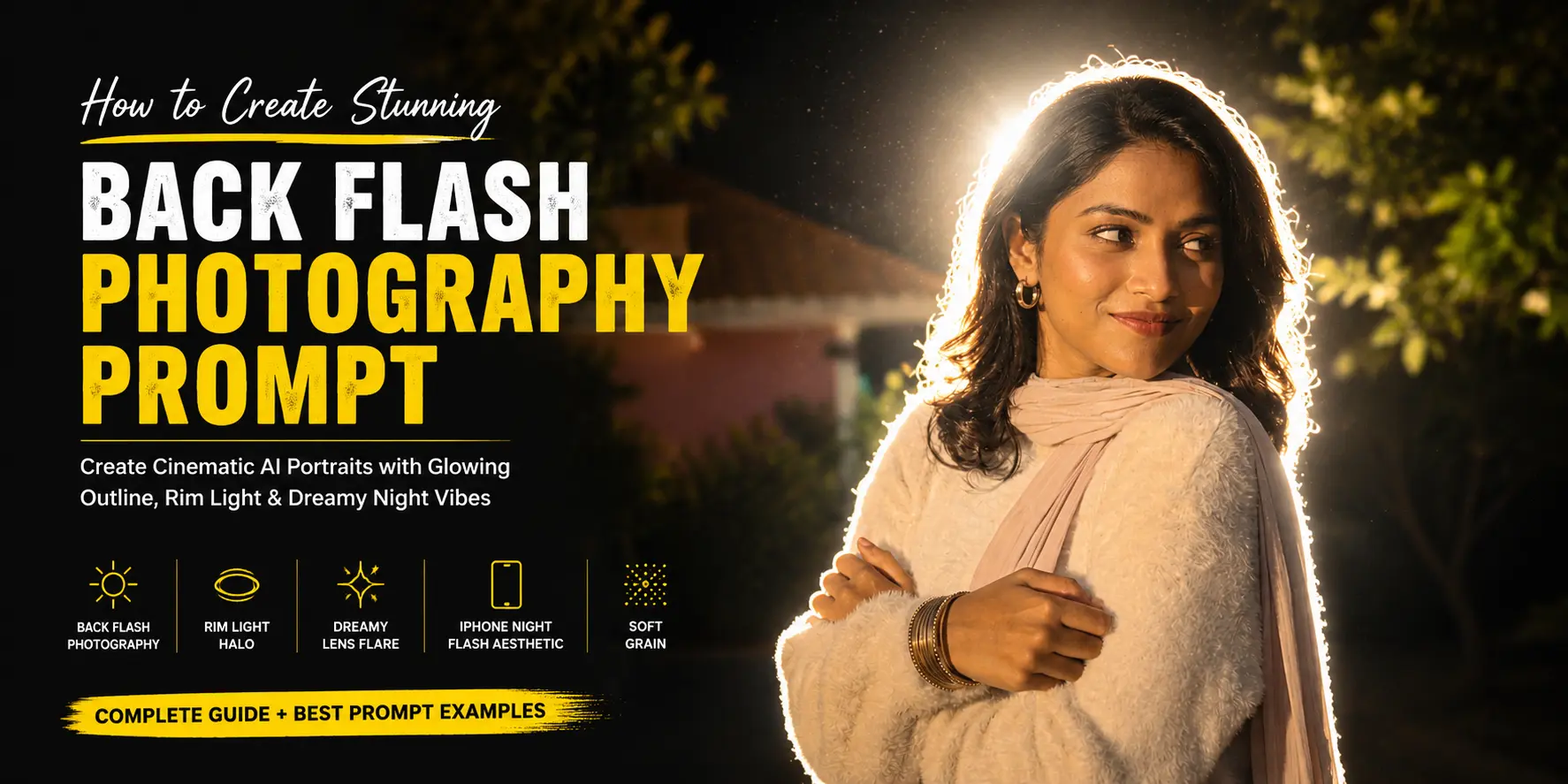
This photography style has become increasingly popular on Instagram, Pinterest, TikTok, and photography communities because it combines realism with dramatic visual storytelling. By positioning a bright flash directly behind the subject, the image gains a powerful rim light halo that separates the person from the background and creates an ethereal, dreamlike mood.
In this guide, you’ll learn how the Back Flash Photography Prompt works, why it creates such impressive results, and how to write prompts that generate professional-quality AI portraits.
What Is a Back Flash Photography Prompt?
A Back Flash Photography Prompt is a detailed AI image-generation instruction designed to simulate a photographic setup where a powerful flash light is placed behind the subject. Instead of illuminating the face directly, the light wraps around the edges of the body and hair, creating a bright glowing outline.
This effect is commonly used in cinematic photography, fashion editorials, music videos, and movie posters because it instantly adds depth, separation, and visual impact.
Unlike traditional front-light portraits, back flash photography emphasizes silhouette definition and atmospheric lighting. The result feels more artistic while remaining realistic.
Why Back Flash Photography Looks So Cinematic
The human eye is naturally drawn to contrast. When a bright light source appears behind a subject, the edges become highlighted, making the person stand out dramatically from the environment.
Several visual elements contribute to the cinematic look:
- Strong rim lighting
- Glowing body outline
- Soft atmospheric haze
- Lens flare effects
- Deep shadows
- Nighttime ambiance
- Natural skin texture
- Film-like grain
Together, these elements create an image that feels like a frame captured from a high-budget movie scene.
The Core Back Flash Photography Prompt Prompt Structure
A successful Back Flash Photography Prompt focuses heavily on lighting behavior rather than clothing or background details. The foundation usually includes:
Ultra-realistic cinematic night portrait, powerful flash positioned directly behind the subject, glowing white rim light outline around the entire body and hair, dreamy halo effect, strong lens flare, overexposed flash bloom, soft haze, high contrast shadows, realistic skin texture, cinematic lighting, grainy night photography, iPhone flash aesthetic, dark background, soft glow, mysterious atmosphere.
Each phrase contributes to a specific visual effect that improves the final image quality.
Understanding Rim Light Halo Effects
The rim light halo is one of the most important aspects of this style. A rim light occurs when illumination hits the subject from behind and creates a bright border around the edges.
Professional photographers use rim lighting to:
- Separate the subject from the background
- Create visual depth
- Highlight hair texture
- Emphasize body shape
- Enhance cinematic storytelling
When writing AI prompts, phrases such as “rim light halo,” “backlit glow,” and “glowing outline effect” help the model understand the desired lighting setup.
The Power of the Glowing Outline Effect
The glowing outline effect is what makes this portrait style instantly recognizable. Instead of a hard edge around the subject, the light softly blooms outward, creating an almost magical appearance.
This effect works particularly well in nighttime scenes because the bright outline contrasts beautifully against darker surroundings.
To strengthen this look, include keywords such as:
- Glowing outline effect
- Bright edge lighting
- White halo glow
- Dreamy silhouette
- Soft light wrap
These instructions encourage the AI model to generate realistic edge illumination rather than flat lighting.
Creating an Authentic Night Photography Atmosphere
Nighttime environments play a significant role in the success of a Back Flash Photography Prompt. Darkness naturally increases the visibility of the backlight and allows the glowing outline to become the focal point of the composition.
Popular nighttime elements include:
- Dark trees and foliage
- Faint stars
- Street lights
- Fog or haze
- Empty roads
- Urban environments
- Forest backgrounds
Adding these environmental details creates context while maintaining focus on the subject.
Why Lens Flare Improves the Result
Lens flare occurs when a bright light source interacts with a camera lens. In photography, this effect often creates beautiful streaks, circles, or glowing artifacts.
When incorporated into AI-generated portraits, lens flare adds realism because viewers associate these imperfections with actual cameras.
Helpful prompt phrases include:
- Dreamy lens flare
- Cinematic lens artifacts
- Flash bloom effect
- Optical flare
- Soft glowing reflections
Used correctly, lens flare transforms an ordinary portrait into a cinematic masterpiece.
The Role of Overexposed Flash Bloom
Many photographers spend years learning how to avoid overexposure. However, in cinematic portrait photography, slight overexposure can actually improve the image.
The phrase “overexposed flash bloom” tells the AI generator to allow bright light to spread naturally around the flash source. This produces a realistic glow and contributes to the dreamy atmosphere.
The result feels more authentic because smartphone cameras often struggle with bright lights at night, creating similar bloom effects.
Using the iPhone Night Flash Aesthetic
Modern AI image models understand smartphone photography surprisingly well. Adding phrases like “shot on iPhone with flash” or “iPhone night flash aesthetic” influences the image style significantly.
This approach often produces:
- Natural skin details
- Casual candid compositions
- Realistic lighting behavior
- Social-media-ready visuals
- Authentic nighttime atmosphere
Many creators prefer this look because it feels relatable while still appearing professional.
Why Realistic Skin Texture Matters
One of the biggest challenges in AI portrait generation is maintaining natural skin quality. Without proper prompt instructions, skin may appear overly smooth or artificial.
Adding keywords such as:
- Realistic skin texture
- Natural skin details
- Photorealistic portrait
- Authentic complexion
helps preserve facial realism while allowing dramatic lighting effects to shine.
Adding Soft Grain for a Film-Like Look
Perfectly clean images often feel artificial. Soft grain introduces subtle imperfections that mimic the behavior of real camera sensors and film stock.
In cinematic portraiture, grain can:
- Increase realism
- Add texture
- Create mood
- Enhance storytelling
- Improve low-light authenticity
Even a small amount of grain can make an AI-generated portrait feel significantly more photographic.
Best Keywords for a Back Flash Photography Prompt
If you want consistent results, consider including these keywords in your prompt:
- Back flash photography
- Glowing outline effect
- Rim light halo
- Overexposed flash bloom
- Cinematic night shot
- Dreamy lens flare
- Soft haze
- High contrast shadows
- iPhone night flash aesthetic
- Realistic skin texture
- Soft grain
- Photorealistic portrait
- Cinematic lighting
- Ethereal atmosphere
- Night photography
Common Mistakes to Avoid
When creating a Back Flash Photography Prompt, avoid these common mistakes:
- Using too many conflicting lighting instructions
- Forgetting realistic skin texture keywords
- Overloading the prompt with unnecessary details
- Ignoring environmental atmosphere
- Using excessive stylistic modifiers
Keeping the prompt focused on lighting and mood usually produces the best results.
Complete Back Flash Photography Prompt
Ultra-realistic cinematic night portrait of a person shown in the photo. A powerful flash light positioned directly behind her head creates an intense glowing white rim light outline around her entire body and hair, giving a dreamy halo effect. Strong lens flare, slightly overexposed flash bloom, soft haze, high contrast shadows, moody night atmosphere. Dark trees and foliage surrounding the scene, faint stars visible in the sky. Shot on iPhone with flash, realistic skin texture, candid aesthetic, Instagram reel filter vibe, cinematic lighting, grainy night photography, vertical composition, soft glow, ethereal and mysterious mood.
Add these key words for best results:
- back flash photography
- glowing outline effect
- rim light halo
- overexposed flash
- cinematic night shot
- dreamy lens flare
- iPhone night flash aesthetic
- soft grain
Also check other prompt like: Amazing Cinematic Night Portrait Prompt: Create Professional AI Images
This prompt will be work in this ai like: chatgpt, Gemini
Final Thoughts
The Back Flash Photography Prompt is one of the most effective techniques for generating cinematic AI portraits. By combining powerful backlighting, glowing rim light halos, dreamy lens flare, realistic skin textures, and authentic nighttime environments, creators can produce images that look both artistic and professional.
Whether you’re creating content for Instagram, YouTube thumbnails, photography portfolios, or AI art showcases, mastering this prompt style can dramatically improve the quality of your work. Experiment with different environments, lighting intensities, and mood descriptions to develop your own unique variation of this increasingly popular cinematic portrait aesthetic.
As AI image generation technology continues to evolve, the Back Flash Photography Prompt remains a powerful tool for producing visually striking portraits that capture attention and leave a lasting impression.
1 thought on “1 Best Back Flash Photography Prompt”