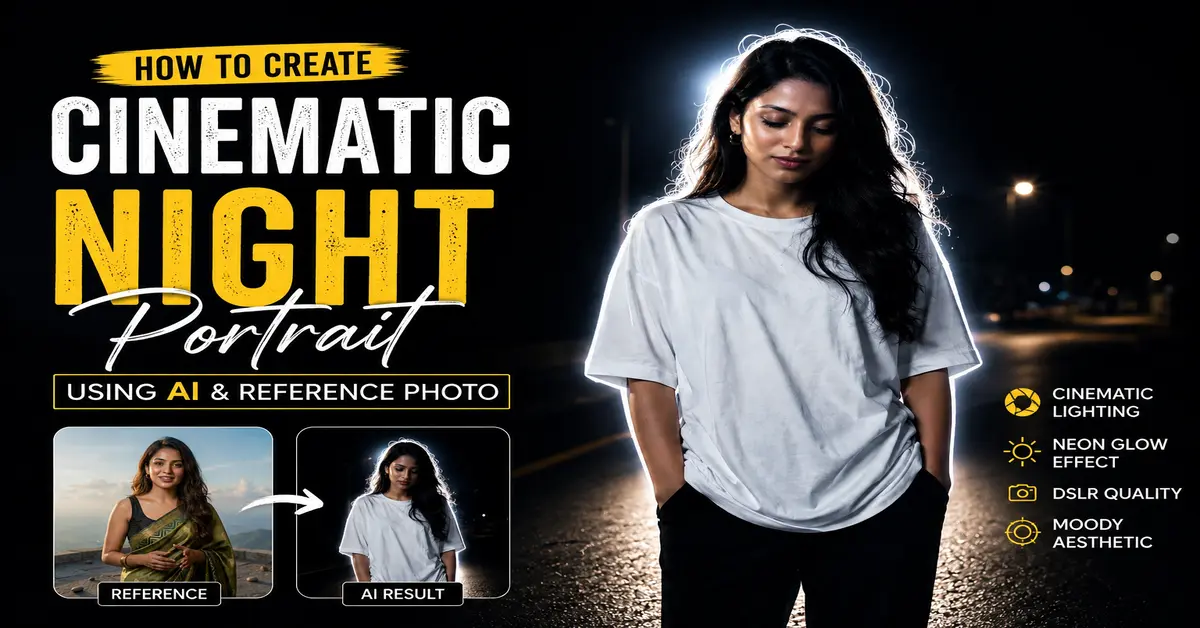
Artificial Intelligence has completely transformed digital photography and image creation. Today, anyone can create professional-looking portraits without expensive cameras, lighting equipment, or advanced editing skills. One of the most popular trends in AI-generated photography is the Cinematic Night Portrait AI style.
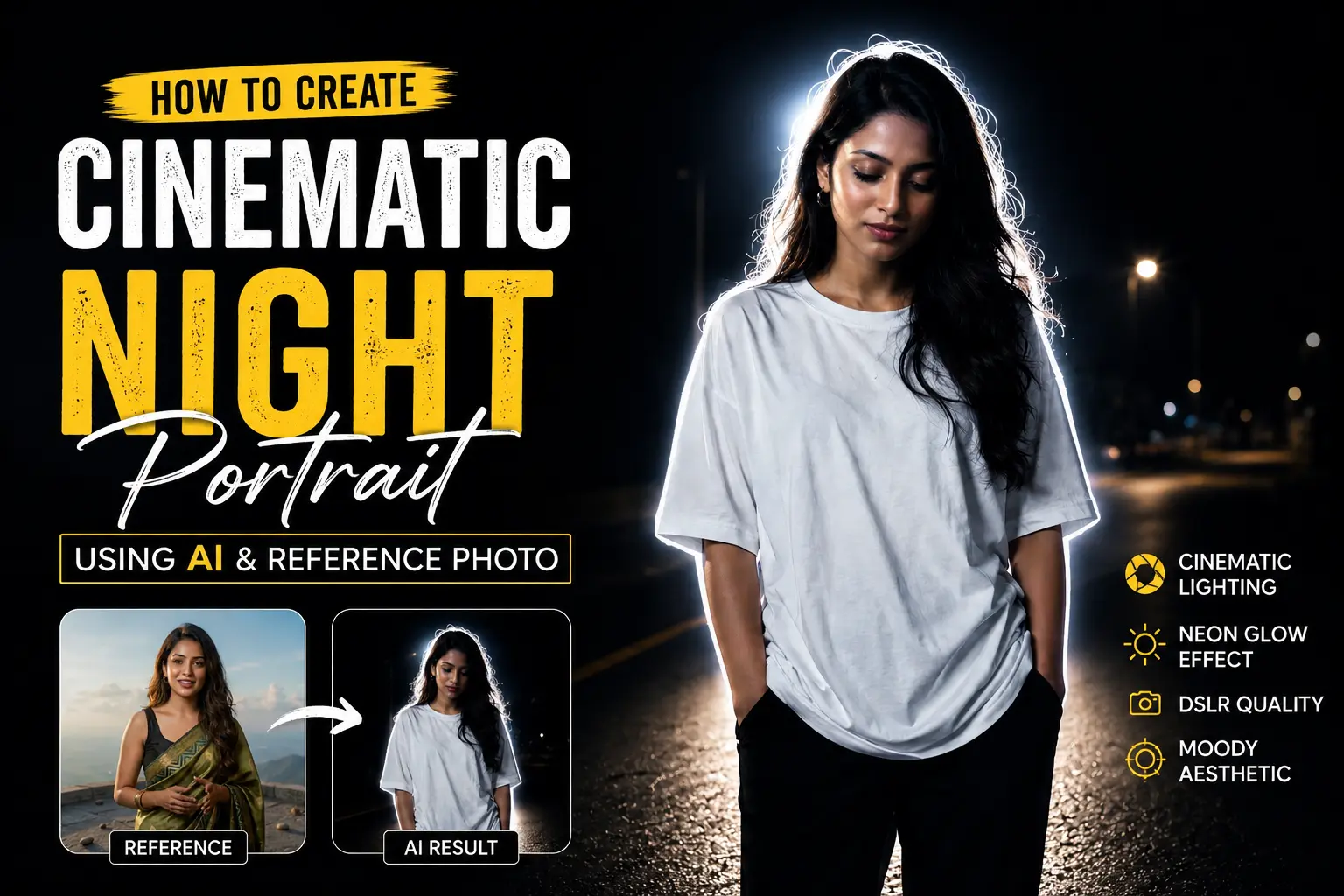
This style combines dramatic lighting, realistic facial details, emotional storytelling, and professional color grading to create visually stunning images. In this tutorial, we will explore how a simple reference photo can be transformed into a cinematic night portrait featuring neon glow effects, dramatic backlighting, and a moody atmosphere.
What Is a Cinematic Night Portrai AI?
A Cinematic Night Portrait AI image is a realistic portrait generated or edited using artificial intelligence to resemble a movie scene. These images often feature:
- Dark backgrounds
- Dramatic lighting
- Neon glow effects
- High contrast shadows
- Emotional storytelling
- DSLR-quality realism
- Professional color grading
The goal is to make the image feel like a frame taken directly from a movie rather than a standard photograph.
Why AI Portrait Photography Is Becoming Popular
Fast and Easy Workflow
Traditional portrait photography requires cameras, lenses, lighting equipment, and editing software. AI significantly reduces the time and effort needed to achieve professional results.
Cost Effective
Creating cinematic portraits traditionally can be expensive. AI tools allow creators to produce similar visuals at a fraction of the cost.
Unlimited Creativity
AI allows users to experiment with different lighting setups, backgrounds, clothing styles, and moods without physically arranging a photoshoot.
Using a Reference Photo for Better Results
One of the best ways to achieve realistic outcomes is to start with a high-quality reference image. The AI can preserve important facial characteristics while applying the desired cinematic effects.
A good reference image should include:
- Clear facial visibility
- High resolution
- Good lighting
- Natural facial expression
- Minimal motion blur
Using a quality reference image helps maintain realism while allowing the AI to create a completely different scene.
Cinematic Night Portrait Prompt Used
Cinematic Night Portrait Prompt
Use reference photo to create a cinematic night portrait of a stylish teenage girl standing alone on a dark road, wearing a plain oversized white t-shirt and black pants, hands in pockets, head looking down, messy black hair with soft shine, glowing white neon outline around the body, dramatic backlight halo effect, dark black background, moody aesthetic, soft skin tones, realistic photography, ultra HD, high contrast, minimal street environment, emotional lonely vibe, DSLR quality, sharp focus.
Understanding the Prompt Structure
Subject Description
The prompt clearly defines the subject:
- Stylish teenage girl
- Standing alone
- Hands in pockets
- Looking down
These details create an emotional and relatable scene.
Environment Setup
The environment plays a major role in cinematic storytelling:
- Dark road
- Minimal street elements
- Black background
This removes distractions and focuses attention on the subject.
Lighting Effects
Neon Glow Portrait Effect
The glowing white neon outline helps separate the subject from the dark background and adds a futuristic aesthetic.
Dramatic Backlight Halo
Backlighting creates depth and produces a cinematic movie-poster appearance.
Mood and Emotion
The prompt includes emotional keywords such as:
- Lonely vibe
- Moody aesthetic
- Dramatic atmosphere
These elements help the AI generate a stronger visual story.
How Neon Glow Portrait Effects Improve Visual Impact
Neon glow effects are extremely popular in modern AI-generated portraits because they:
- Increase subject separation
- Add visual depth
- Create futuristic aesthetics
- Enhance cinematic storytelling
A subtle glow often looks more realistic than an overly bright effect.
Achieving DSLR Quality AI Images
High Resolution Output
Always request:
- Ultra HD
- High Detail
- Sharp Focus
These keywords help produce cleaner and more professional results.
Realistic Skin Texture
Adding terms like:
- Soft skin tones
- Realistic photography
- Natural facial details
helps avoid an artificial appearance.
Best Practices for AI Photo Editing
Use Clear Descriptions
The more specific the prompt, the better the result.
Focus on Lighting
Lighting is often more important than clothing or background details when creating cinematic portraits.
Maintain Realism
Avoid excessive effects that make the image appear artificial.
Experiment with Mood
Changing emotional keywords can dramatically alter the final output.
Examples include:
- Mysterious
- Confident
- Melancholic
- Hopeful
- Dramatic
Common Mistakes to Avoid
Overloading the Prompt
Too many effects can confuse the AI.
Ignoring Lighting Instructions
Lighting is one of the most important components of cinematic photography.
Using Low-Quality Reference Images
Poor source images often lead to unrealistic outputs.
Final Thoughts
Creating a Cinematic Night Portrait AI image is now easier than ever. By combining a quality reference photo with a well-structured prompt, you can generate professional-looking portraits featuring neon glow effects, dramatic backlighting, and emotional storytelling.
Whether you are a content creator, social media influencer, digital artist, or AI enthusiast, cinematic portrait generation offers endless creative possibilities. With the right prompt and attention to detail, you can transform ordinary photographs into stunning movie-style portraits that capture attention instantly.
Start experimenting with cinematic AI portrait photography today and discover how powerful artificial intelligence can be for creating visually compelling artwork.
3 thoughts on “Amazing Cinematic Night Portrait Prompt: Create Professional AI Images”